Your files stay in place.
Open any Markdown file directly. Reading mode is the default; switch to editing when you need it. Keep your folders, images, and repositories.
 Markwrite 墨页
A clear workspace for your technical documents.
Open a Markdown file where it lives. Read comfortably, compare every change, and keep a history with Git. No vault. No account.
Linux · Windows · macOS / English & 中文
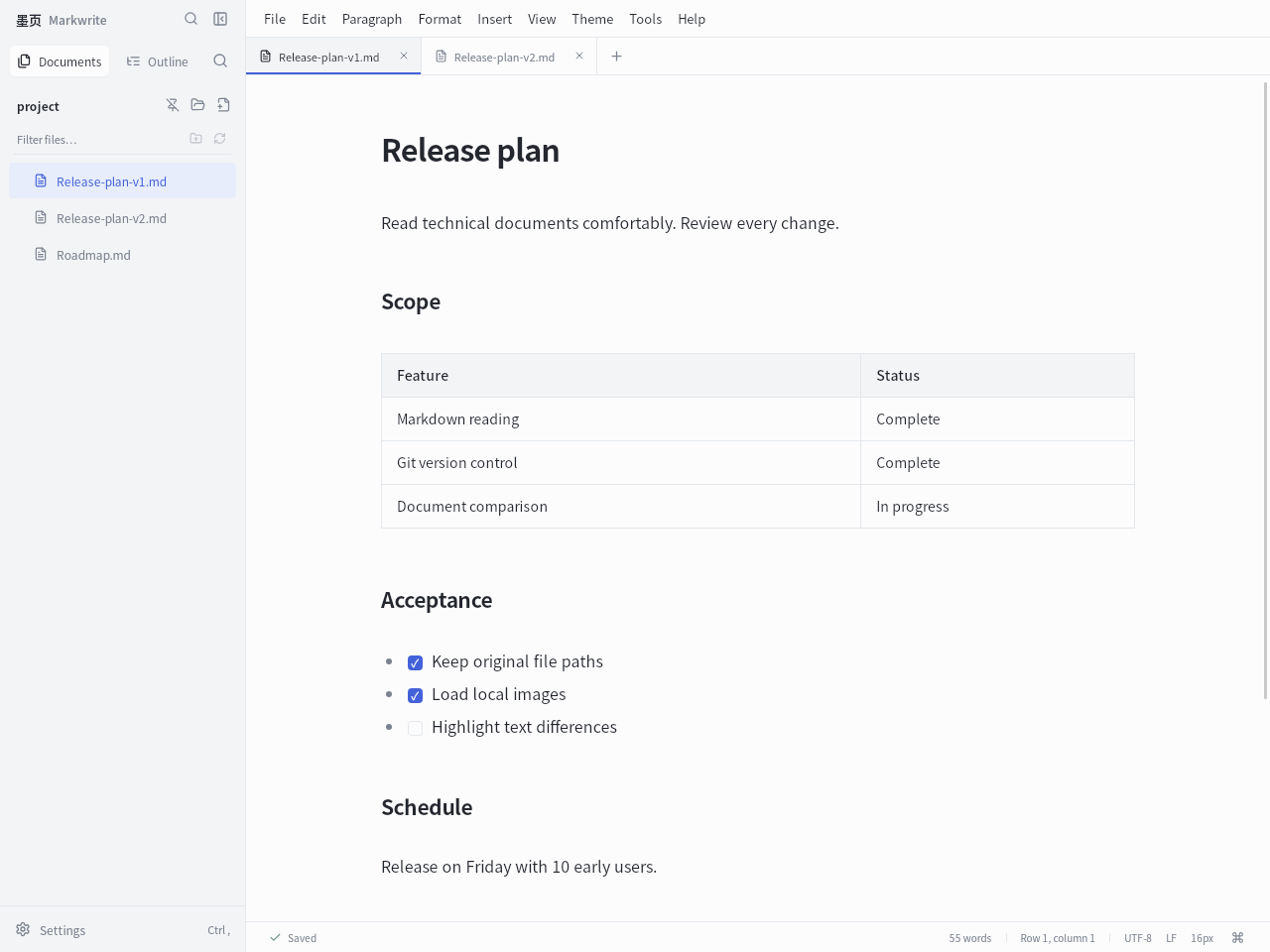
Real application screenshots. Switch views above to explore.
READ. COMPARE. COMMIT.
For READMEs, technical plans, research notes, and the documents that live alongside your code.
Explore the complete feature guideOpen any Markdown file directly. Reading mode is the default; switch to editing when you need it. Keep your folders, images, and repositories.
View one document in two modes, or put two documents side by side. Each pane independently supports editing, source, and reading.
Compare current Markdown text, including unsaved changes. Aligned lines and character-level highlights make small edits visible.
Inspect Git changes, commit selected files, and resolve conflicts in a three-way view. Uses your local Git installation; never pushes automatically.
Also inside: Mermaid diagrams, KaTeX formulas, relative images, document themes, HTML / PDF / DOCX export, and optional AI with your own API.
START WITH A REAL TASK
Open, compare, and commit. Three guides walk through practical workflows.
Use Markwrite to view one Markdown document in two modes, compare two files side by side, and inspect line and character differences, including unsaved edits.
Review local Git changes in Markwrite, choose files to commit, and resolve document conflicts with a three-way view. Files stay in their existing repository.
Install Markwrite on Linux, set it as the default Markdown application, and read .md files with relative images in their original project folders.
REAL DESKTOP RECORDING · 31 SECONDS
Open a document, view source and reading together, compare two versions, then review and commit with Git.
Recorded on Linux with example documents. Bilingual captions, no audio. Appearance may vary by version. MP4 ↓
MARKWRITE · v1.2.1
Choose your system. Installers come directly from the official GitHub release.
Windows 10 / 11 · x64
Windows installer.exeRequires WebView2. The installer can download it if it is missing.
macOS 14 or later
Apple Silicon.dmg Intel.dmgSeparate native builds. Ad-hoc signed, not Apple-notarized; see the first-launch guide.
Installation guide ↗
Linux · x86_64
Debian / Ubuntu.deb Portable archive.tar.gzRequires GTK and WebKitGTK 4.1, including when using the portable archive.
No. Open Markdown files directly from their folders. Local reading, editing, comparison, and Git review work without a cloud account.
Yes. Files open in reading mode by default. Switch to editing or source mode when you want to make changes.
Core document work stays local. Optional AI sends the selected text and your instruction only when you request it. Remote images, publishing, and update checks connect when used.
No. The built-in workflow reviews changes and creates local commits. Install Git first, and use your preferred Git tools for remote synchronization.
Yes. Keep relative images alongside the Markdown file, or export a document-and-attachments ZIP. Embedded images travel inside the file, but the receiving renderer must support them.