
Check source and rendering in one document
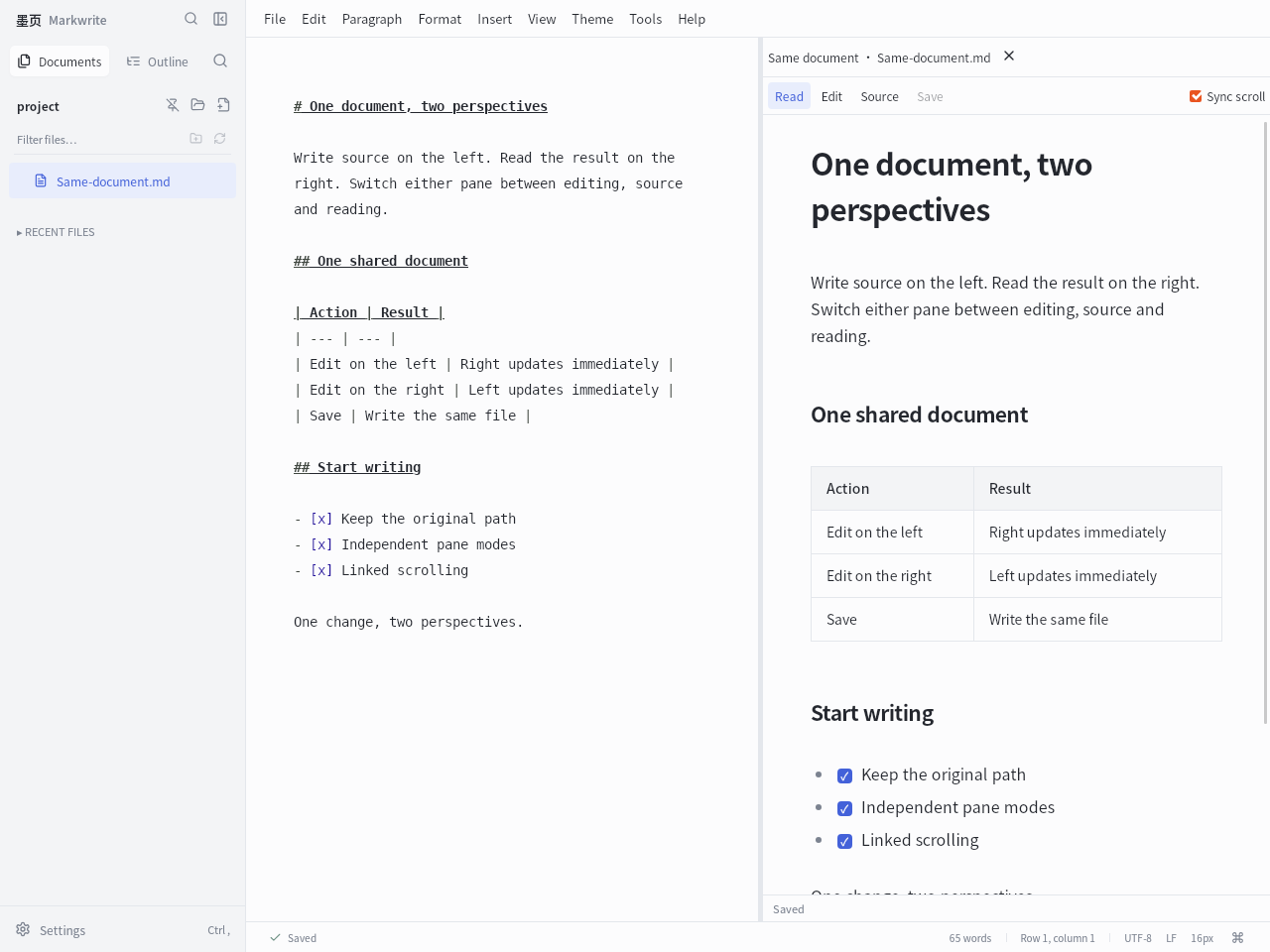
Both panes share the same document and save state; this does not create a copy or a second version. It is useful for checking tables, links and formatting while writing.
- Open a Markdown file and choose View → Source + reading (same document). Only one open file is required.
- The left pane starts in source mode and the right pane in reading mode. Change either pane to Read, Edit or Source using its mode controls.
- Edit in either editable pane to see the other view update. Drag the divider to adjust the width, or close the right pane to return to a single view.
Keep two different files in view
The two files retain separate edits, undo histories and save operations. Linked scrolling follows relative positions; it does not match headings or align equivalent sentences.
- Open both Markdown files in the same Markwrite window, then choose View → Compare documents side by side.
- Choose the second file from the selector at the top of the right pane.
- Set each pane to the mode you need. For example, read the old specification on the left while editing the new one on the right.
- Enable Sync scroll to move through both documents by relative position. Leave it off when the passages you are comparing occur in different places.
Find exactly which words or parameters changed
The comparison uses the current text in each pane, including unsaved edits. That makes it useful for checking small changes to Chinese text, numbers or ROS parameters before saving.
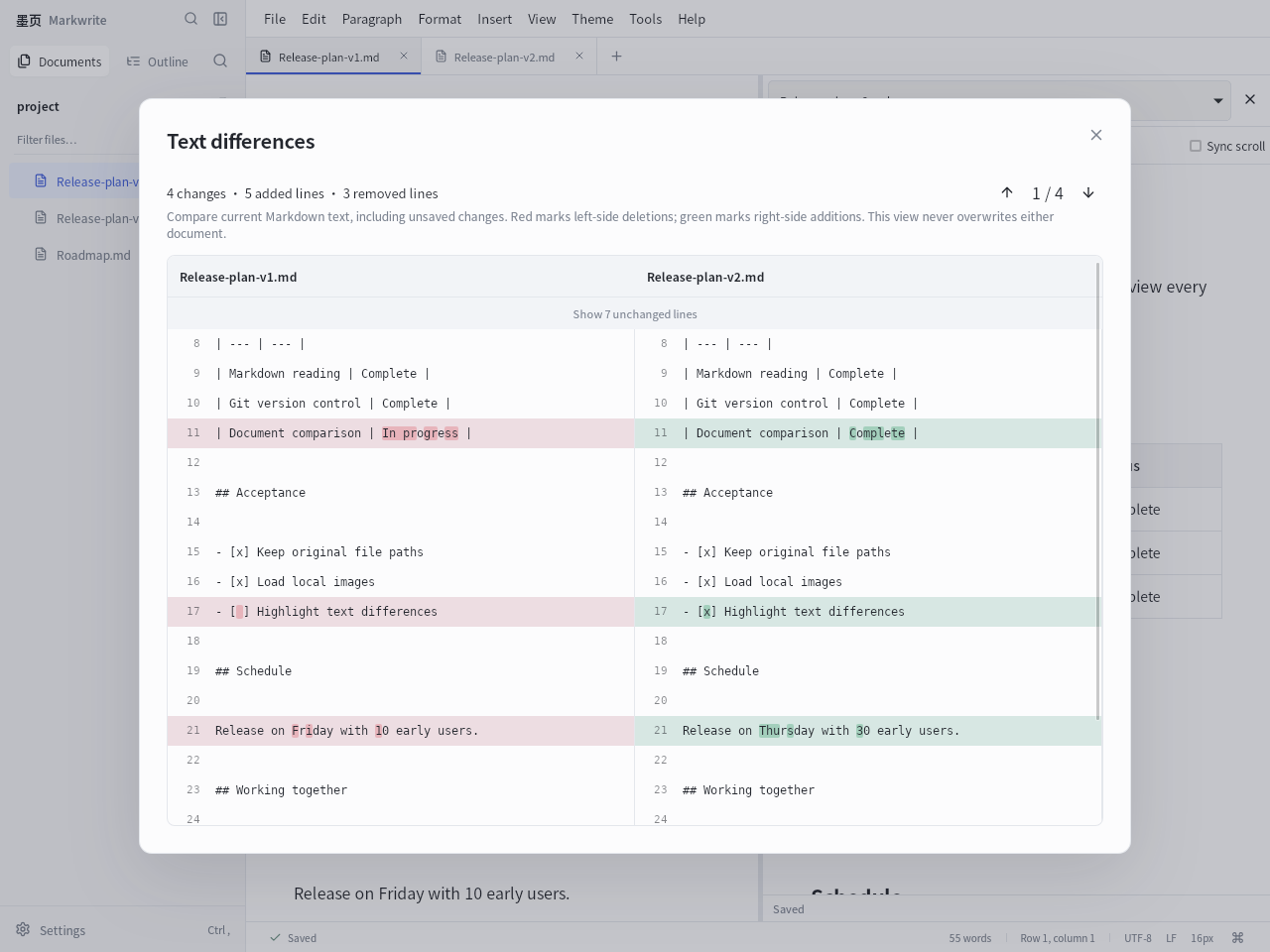
- With two different documents side by side, click Text differences in the right toolbar.
- Read red deletions on the left and green additions on the right. Changed lines also highlight individual characters.
- Use Previous change and Next change to move between differences. Expand folded unchanged passages when you need more context.
Know what the comparison includes
Text differences is a review view. It does not copy changes between the files or overwrite either file. Return to an editing pane when you want to make a change.
It compares Markdown text, including syntax, spaces, line endings and the final newline. It does not compare image pixels or the visual appearance of rendered pages.
The pair is limited to two million characters and 12,000 lines. Complex comparisons may time out with a message. Use smaller documents or ordinary side-by-side reading if the comparison cannot complete.